How to Remove Silence from Videos Automatically with AI
HeavenClip Team
July 24, 2026 · 3 min read

If you've ever edited a YouTube video, podcast, tutorial, or talking-head video, you know how much time gets wasted removing awkward pauses and dead air.
It's one of those repetitive editing tasks that almost every creator does, yet it adds very little creative value. Instead of focusing on storytelling or making your content more engaging, you're zooming into the timeline, cutting tiny gaps, and trying to make conversations sound natural.
That's exactly why AI-powered silence removal has become one of the biggest time-savers for modern creators.
Why removing silence matters
Small pauses are completely natural when people speak. They give conversations rhythm and make videos feel authentic.
The problem is the longer pauses.
When you're thinking about your next sentence, adjusting your microphone, checking your notes, or simply forgetting what to say, those silent moments slow the pace of your video.
For short-form content especially, every second matters. Faster pacing often helps viewers stay engaged for longer, which can improve watch time and retention.
Instead of spending an hour manually trimming dozens of silent gaps, AI can identify those sections automatically and prepare your video for review in just a few moments.
How HeavenClip removes silence automatically
With HeavenClip, the process is simple.
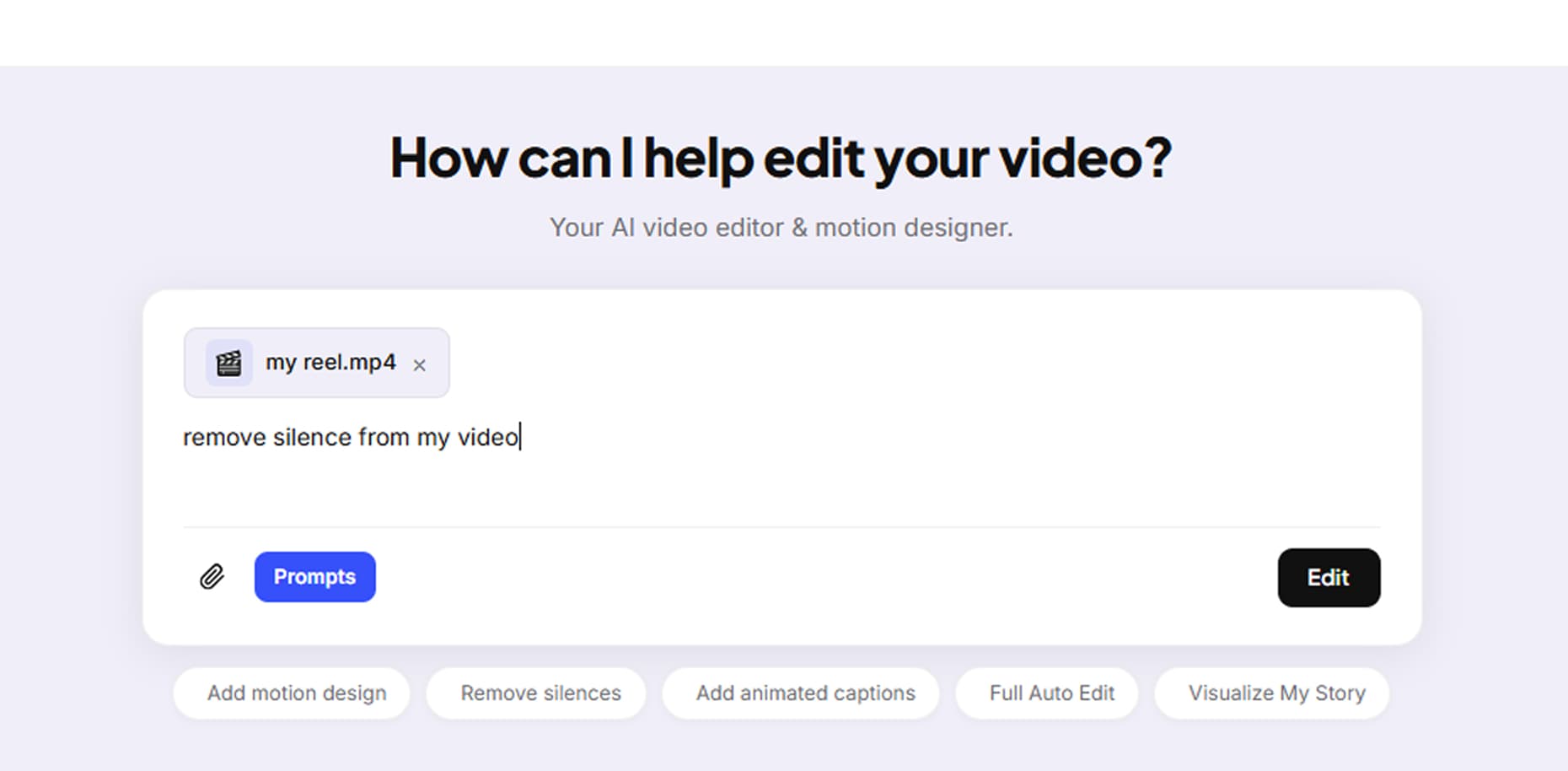
Step 1 — Upload your footage
Upload your raw recording directly into HeavenClip. Whether it's a podcast, tutorial, interview, webinar, or talking-head video, the AI begins analyzing your content as soon as it's uploaded.
Step 2 — AI detects silent sections
Instead of forcing you to scrub through the timeline manually, HeavenClip analyzes the audio waveform and detects extended silent gaps that interrupt the natural flow of your video.
Step 3 — Review the suggestions
Before making permanent edits, you can review the suggested cuts. If there's a pause you'd like to keep for dramatic effect or better storytelling, you can easily adjust it.
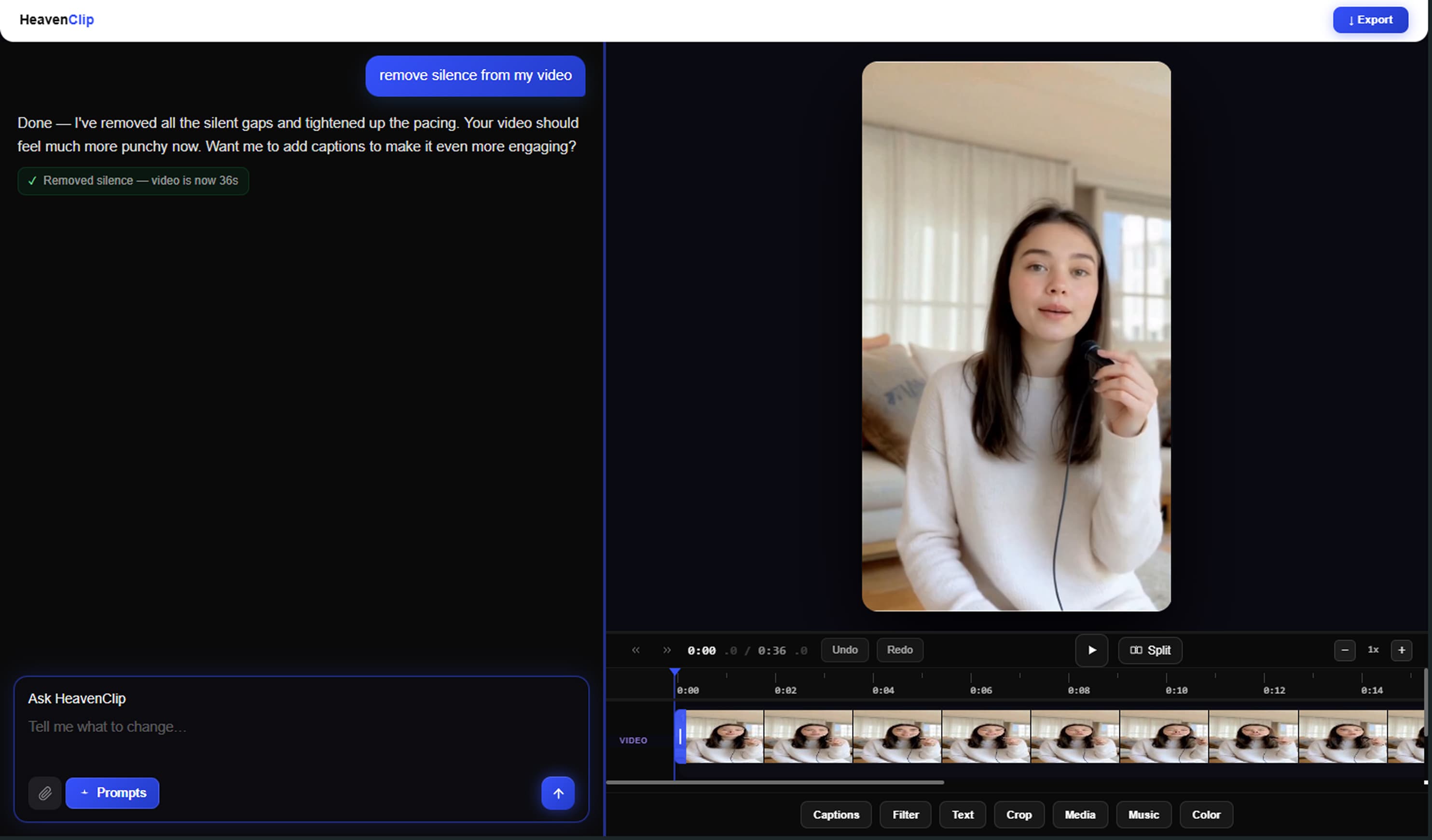
Step 4 — Export your final video
Once you're happy with the results, export a cleaner, faster-paced version that's ready for YouTube Shorts, Instagram Reels, TikTok, podcasts, or long-form content.
When should you use AI silence removal?
Automatic silence removal works particularly well for:
- YouTube videos
- Podcast recordings
- Online courses
- Tutorials
- Product demos
- Interviews
- Webinars
- Talking-head videos
- Educational content
- Marketing videos
Benefits of removing silence
Using AI to remove dead air can help you:
- Save hours of manual editing
- Create faster-paced videos
- Improve viewer retention
- Keep conversations flowing naturally
- Spend more time creating instead of editing
Got Questions? We've Got Answers.
Ready to edit like this yourself?
Upload your footage, describe what you want, and let HeavenClip handle the rest.
Start creating free →Never miss a video tip
Join creators learning how to make engaging videos quickly and easily — new guides straight to your inbox.
Get product updates and creator tips.